That distinction matters more than it sounds. A trial that is quietly downgraded tells you nothing about the service you would actually buy. A trial that is the real service tells you everything, in a day, at no cost.
What the IPTVUS4K Free Trial Includes
The point of a free trial is to remove the risk from a purchase decision. Ours is designed to do exactly that, with no small print doing any hidden work:
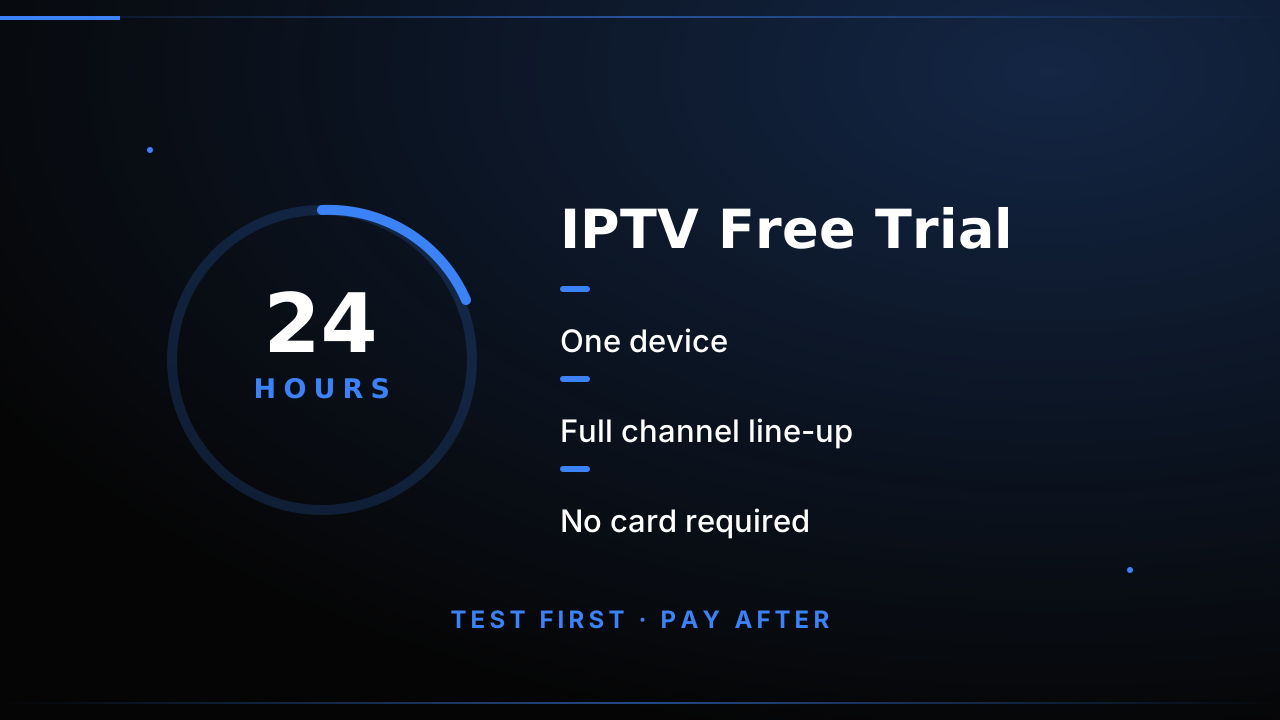
- 24 hours of access, counted from when your credentials arrive — not a "trial" that expires in an hour.
- One device, which is the device you actually want to watch on. Testing on a phone when you will watch on a TV tells you very little, so the trial is designed around your real setup.
- The full channel line-up, not a preview package. If you want to check a specific channel, it is there.
- No card, no payment details, no auto-enrolment. There is nothing to cancel, because nothing was ever charged.
- M3U or Xtream Codes — you choose which login format suits the app you use.
How Long Should an IPTV Free Trial Last?
You will see free trial lengths advertised all over the place, and the number on its own tells you very little. What matters is not the headline length but how much a trial of that length can realistically verify before it expires.
| Trial length | What it realistically proves | What it cannot prove |
|---|---|---|
| Under an hour | That your device and app accept the login format at all | Anything about evening performance, the guide, or support |
| A few hours | That channels load and the picture quality is acceptable | Peak-time stability, which is where problems actually surface |
| 24 hours | A full day cycle — an evening peak window, a complete EPG, and a real answer from support | Long-term stability over weeks or months |
| Several days or more | Multi-day stability and how a provider handles a fault report | Anything extra over 24 hours, at a higher ongoing cost to the provider |
This is why 24 hours is the number we settled on. It is long enough to cross a complete day-and-evening cycle — so you test the guide, you test a live event at peak time, and you get a real answer from support — without the provider carrying an open-ended free load. It is also the length our own provider testing workflow is built around.
One honest caveat: no trial, at any length, tells you how a service behaves over six months. That is exactly what the 7-day money-back guarantee on every plan is for. The trial removes the first risk, and the guarantee covers the second.
No Card Required: What "Free" Actually Means Here
"No credit card" is a phrase most providers use loosely, so it is worth being precise about what it means in our case.
To start the trial you do not enter card details, do not open a billing account, and do not agree to a trial that quietly converts into a subscription. There is no form to fill in and no payment method on file. Nothing is charged when the 24 hours are up, because there was never anything to charge — and there is no auto-enrolment either. If you do nothing, the trial simply ends and your credentials stop working. That is the whole mechanism.
Activation is instant. You send one WhatsApp message naming the device you want to test on, and we reply with either an M3U playlist link or an Xtream Codes login, whichever your app prefers. In active hours that usually means minutes rather than the next day. There is no approval queue and no waiting period, which is also why we do not ask for identity documents to run a 24-hour test.
If a trial ever did require a card, a deposit, or a "free" tier that quietly downgrades the streams, that would be worth walking away from on its own. Our IPTV provider red flags guide covers the patterns we would warn you about at any provider, including ones that advertise a trial.
How to Start Your Free Trial
There is no form, no app store, and no card entry. The whole process happens over WhatsApp, which is where all IPTVUS4K orders are handled.
- Message us on WhatsApp and tell us which device you want to test on — Smart TV, Fire Stick, Android, iOS, MAG or PC.
- Receive your credentials. We send either an M3U playlist link or Xtream Codes login details, depending on your device. Activation is instant, usually within minutes during active hours.
- Install and watch. Enter the details into your app, load the guide, and start testing. Our Android TV setup guide and Fire Stick guide cover the most common devices step by step if you need them.
- Test properly — see the next section. What you test, and when, decides how much the trial tells you.
What to Test During Your 24 Hours
A trial is only as useful as the testing you put into it. If you install at 11am and watch ten minutes of a morning news channel, you have learned almost nothing. Here is what actually matters.
Test at peak time, not off-peak
Buffering and picture quality under load is the single most important thing to check. Test in the evening, when the channels you care about are broadcasting live events. Off-peak performance is easy; prime-time performance is the thing you are paying for. Our guide to IPTV streaming quality explains what to look for.
Check the channels you will actually watch
Search the guide for the specific channels you want. The useful question is not "are there many channels" but "are my channels there, in the quality I need". Line-up depth varies enormously between providers, and the trial is where you find out cheaply.
Test on the device you will really use
A trial on your phone is not a trial of your TV experience. Screen size, processor, Wi-Fi and the app itself all change the result. Test on the device and app you will use daily.
Look at the guide, not just the video
Every IPTVUS4K plan includes a 7-day EPG. Check that the guide is populated and accurate for the channels you want — an empty or stale guide is a warning sign about the provider's maintenance.
Try 4K if you plan to buy 4K
Premium 4K streams in 4K UHD and runs on priority servers. If 4K is why you are considering IPTV, do not accept a Full HD test as proof — check that 4K channels exist in the line-up and that your device and connection can actually hold that bitrate.
Message support with a real question
Support quality is part of the product. Every plan includes 24/7 WhatsApp support, and the trial is the perfect moment to find out how fast and how helpful it actually is. Ask something you would genuinely need answered.
What You Can Watch: Channel List and USA Coverage
The single most common disappointment with a free trial is finding out too late that the specific channels you care about are not in the line-up. So use the trial to answer that question properly, because for 24 hours you can browse the entire list rather than guess from a marketing page.
Both tiers are available during the trial, at their real size:
- Standard — 25,000+ live channels in Full HD 1080p, plus 140,000+ on-demand movies and series.
- Premium 4K — 57,000+ live channels in 4K UHD, plus 238,000+ on-demand titles, on priority servers with premium sports and catch-up TV.
Tell us which tier you want to test and we will set the trial up on that one, so the trial matches the plan you are actually considering rather than a smaller stand-in.
If you are watching from the United States, the useful question is not how many channels exist in total but whether the ones you watch are in the list and in the quality you need. Our 4K IPTV USA guide covers how to check for the specific US sports, news and entertainment channels you are likely to want, and best IPTV in the USA for 2026 sets out what to prioritise when comparing US-facing providers. Load the guide during your trial, search for the handful of channels you would actually miss, and confirm them yourself rather than trusting a channel-count headline.
For the underlying format, the what is IPTV guide explains how live linear channels, VOD and catch-up fit together, and the EPG setup guide shows how to confirm a populated, accurate guide on your own device during the trial.
Is There a Catch?
Honestly, the only "catch" is the device limit — one device during the trial, which matches the one device included in every plan. If you need more screens afterwards, extra devices are available at 25% off the plan price each, up to 5.
There is no card on file, no auto-renewal, and no contract. If you decide not to subscribe, the trial ends and nothing happens. We would rather earn the subscription than trap you in it.
Is a Free IPTV Trial Safe to Try?
It is reasonable to be cautious here, because "free trial" has become a cover for a lot of unpleasant things: card details demanded up front, malware-riddled download links, auto-renewing subscriptions, and resellers who vanish after payment. A trial should cost you nothing but a message, and a provider worth staying with has no reason to make it anything else.
What makes ours low-risk:
- Nothing to lose. No card, no deposit, no billing account, and nothing auto-renewing after the trial. The worst case is that you spent 24 hours watching television.
- No app to sideload. You use an app you already have, or a well-known one from your device's own store. We do not ask you to install an unknown APK or run an installer, which is the most common way IPTV trials actually hurt people.
- No personal documents. A 24-hour test does not need identity verification, and we do not ask for it.
- Published policies. Our refund policy, privacy policy and terms of service are readable before you start, not after you complain.
- A real exit. If it is not right, you stop messaging and that is the end of it. No retention process, no follow-up campaign.
Where you should be cautious is with any provider, ours included, is in how you evaluate what you are given. Judge on evidence you gathered yourself: streams that hold up at peak time, a guide that is actually populated, support that answers a real question, and terms you can read in advance. That is the method behind our provider test and the checklist in IPTV provider red flags — and it is the reason a 24-hour window is genuinely enough to decide.
One thing worth being clear about: IPTV services carry no guarantee about which channels are licensed in which country, and legality varies by where you live. Check the rules that apply to you before streaming anything.
Ready to Subscribe After the Trial?
If the trial passed your checks, the next step is straightforward. Plans run from 3 to 24 months in two tiers — Standard (25,000+ channels in Full HD 1080p) and Premium 4K (57,000+ channels in 4K UHD) — with a 7-day money-back guarantee on every one, so you keep the safety net after the trial window closes too.
Frequently Asked Questions
Is there really a free IPTV trial with no credit card?
Yes. The IPTVUS4K trial is genuinely free for 24 hours and does not require a card. You never enter payment details to start it — message us on WhatsApp and we send your login details directly.
How long is the IPTVUS4K free trial?
24 hours, starting from the moment your credentials arrive. One device is included for the duration, and the trial covers the full channel line-up rather than a cut-down preview package.
What can I watch during the 24-hour free trial?
The full line-up. Standard covers 25,000+ live channels in Full HD 1080p with 140,000+ VOD titles; Premium 4K covers 57,000+ channels in 4K UHD with 238,000+ VOD titles, priority servers, premium sports and catch-up TV. The trial is not a restricted sample.
Tell us which tier you want to test and we will set the trial up on that one, so you are checking the channels and quality you would actually be buying.
How do I start an IPTV free trial?
Message us on WhatsApp, tell us which device you want to test on, and we send your M3U link or Xtream Codes login. Installation takes a few minutes on Smart TVs, Fire Stick, Android, iOS, MAG and PC. Activation is instant.
If you are setting up from scratch, the Android TV guide and Fire Stick guide walk through the install step by step.
What happens when the free trial ends?
The trial simply stops and nothing is charged, because no payment method was ever taken. If you liked it, choose a plan from 3 to 24 months and order over WhatsApp. Every plan then carries a 7-day money-back guarantee and there is no auto-renewal.
How long should an IPTV free trial be?
Long enough to cross a full day-and-evening cycle, and no longer. Under an hour only proves your app accepts the login at all, and a few hours miss peak-time behaviour, which is where problems actually surface. 24 hours is the sweet spot: you get the guide, a live event at peak, and a real answer from support. Nothing shorter is worth much, and a multi-day free trial costs the provider far more without telling you anything a single day does not.
The full comparison of trial lengths is in the provider testing workflow, along with what to check once the credentials land.
Is a free IPTV trial safe to try?
Ours is, because it costs nothing but a WhatsApp message: no card, no deposit, no billing account, no auto-enrolment, no app to sideload and no identity documents. The genuine risks with IPTV trials are card demands up front, malware-riddled installer links and auto-renewing subscriptions, and none of those apply here.
Judge any provider, including this one, on evidence you gather yourself: streams that hold up at peak time, a populated guide, support that answers a real question, and terms you can read in advance. That is the method behind our IPTV provider red flags guide, and the reason a 24-hour window is genuinely enough to decide.